
End every repair at the customer's home with a PDF report
The service technician starts the job on arrival at the customer's home, photographs the repair and collects the customer's signature. The PDF report is ready.
What a job looks like
The job below is an example of how a job in this sector would look in Ekiplio. It is not a real customer or entry.
Washing machine repair
A faulty washing machine is repaired at the customer's home. The unit is run and checked, and the customer confirms the handover with a signature.
Checklist
- Read the fault report in the job description
- Photograph the faulty part
- Do the repair and run the unit to check it
- Write the part used as a comment
- Collect the customer's handover signature
Suggested job type setting for this job
A job type decides which proof a job asks for in the field. A reasonable starting setting for this job:
Why this setting. For a job finished at a home with a single customer, the signature documents the handover. One photo and the customer's signature are required, and there is no approval step. Automatic email is off; if you want, you share the PDF report with the customer from the app.
- Require a location stamp when starting and finishing
- OnOne-time location when starting and finishing the job
- Minimum proof photos
- 1 photoProof photos needed to finish the job
- Require a customer signature
- RequiredCollected together with a name
- Require lead approval before completion
- Not requiredA manager or team lead decides
- Email the report to the customer when completed
- OffPDF report, once the job is completed
These are examples; each business defines its own job types. A manager can change job types at any time; open jobs carry on with the setting they were created with.
What appears in the PDF report
The PDF report
When the repair is done, a document you can leave with the customer is ready: job number, customer, start and finish times, photo and signature.
- The cover carries the job number, title and customer
- The signature block carries the customer's first and last name and signature
- Start and finish stamps show the time of the job
The PDF report is generated in the app when the job finishes; what changes from sector to sector is the job type settings.
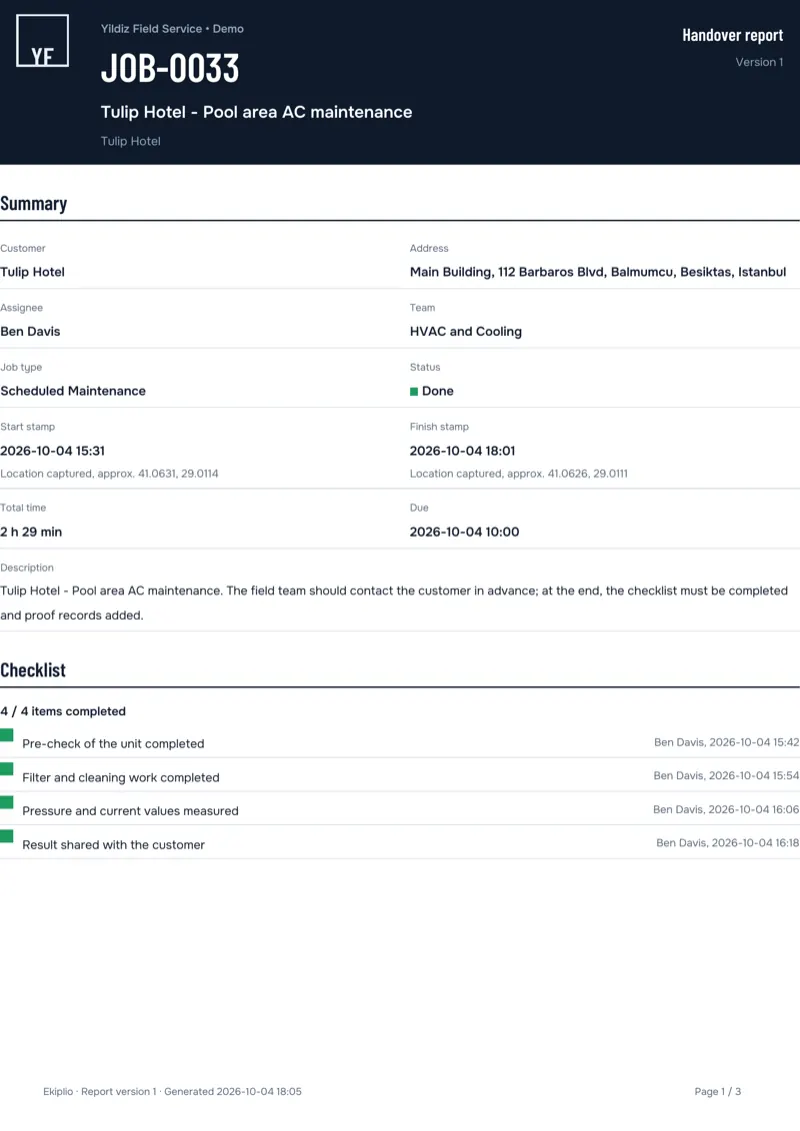
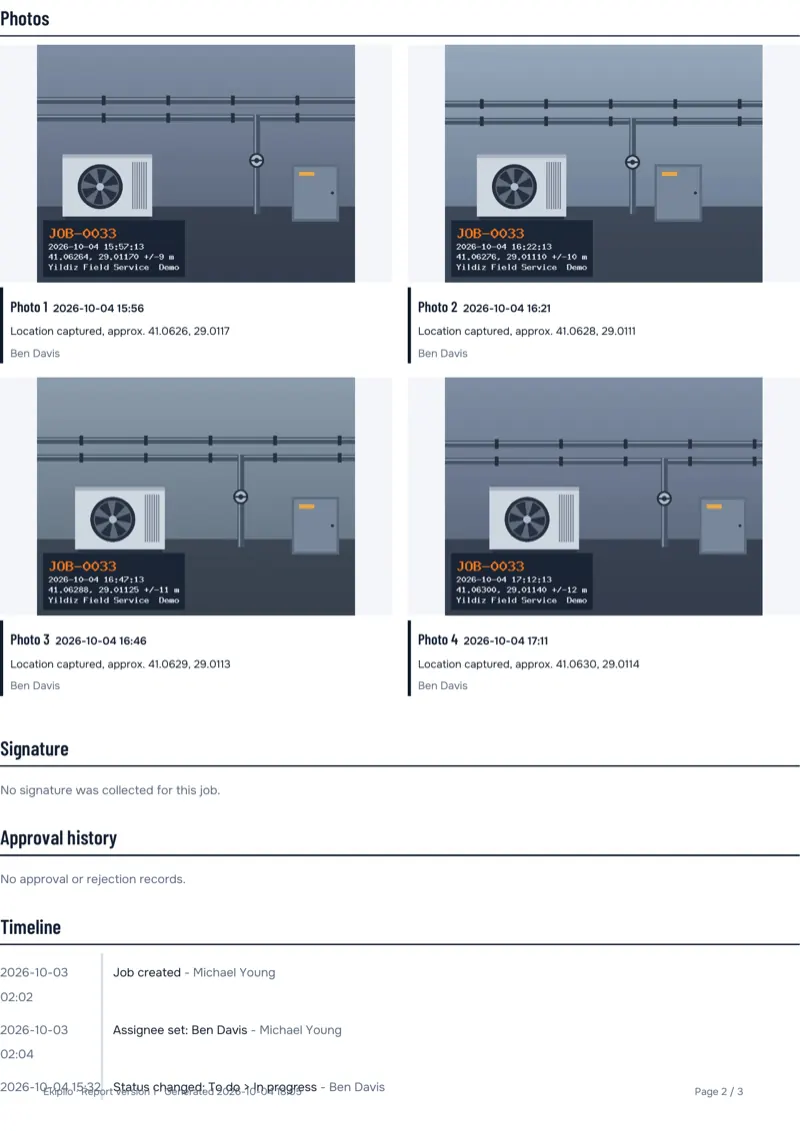
Sample PDF report (demo data). Content varies by sector.
How the team works
The job is assigned
A manager or team lead creates the job and enters the assignee and due date. The assignee is notified.
Proof is collected on site
The assignee starts the job, takes photos, collects a signature if required and finishes the job. Location is taken only at these moments, once each time.
The PDF report is ready
When the job completes, a PDF report is generated. A manager follows the team's work on the reports screen.
Frequently asked questions
Does the customer sign on the screen?
Yes. The technician hands over the phone or tablet and the customer signs with a finger. A first and last name are required; a job title is optional.
Where do I note the part that was used?
Write it as a comment on the job. The photo and signature are recorded separately; you can also keep the fault report in the job description.
Where does the technician see the day's jobs?
In the job list on the phone, which shows the jobs assigned to them. A notification arrives when a new job is assigned; on the next job there is a single button: start the job.
Is the technician's location tracked all the time?
No. Location is taken only when starting a job, finishing it, taking a photo or collecting a signature, with a permission granted while the app is open, and only once each time. There is no background location tracking. If permission is not granted the job still starts.
What if there is no internet at the customer's home?
Actions are queued and sent in order once a connection returns. Every entry keeps both the device time and the server time.
Other sectors
- HVAC and boiler serviceService and repair jobs close with a customer signature.
- Elevator maintenanceRoutine maintenance visits are logged with photos and stamps.
- CleaningWhich area was cleaned, and when, is clear from the photo.
- Facility managementJobs across buildings are tracked in one list, each with an owner.
- Construction sitesSite jobs stay on file and the office sees their status.
Try it with your own work
Explore the live demo without signing up; when you are ready, open your business for free on the web.