
Which job is where, at a glance
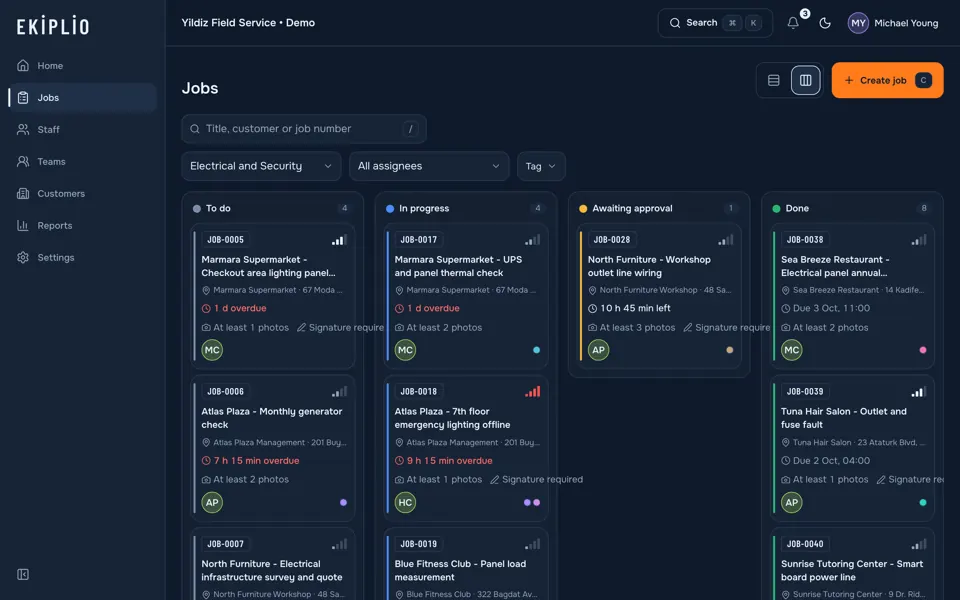
Jobs sit in status columns: to do, in progress, awaiting approval, done. Dragging a card changes its status; on an invalid move the card snaps back and you are told why.
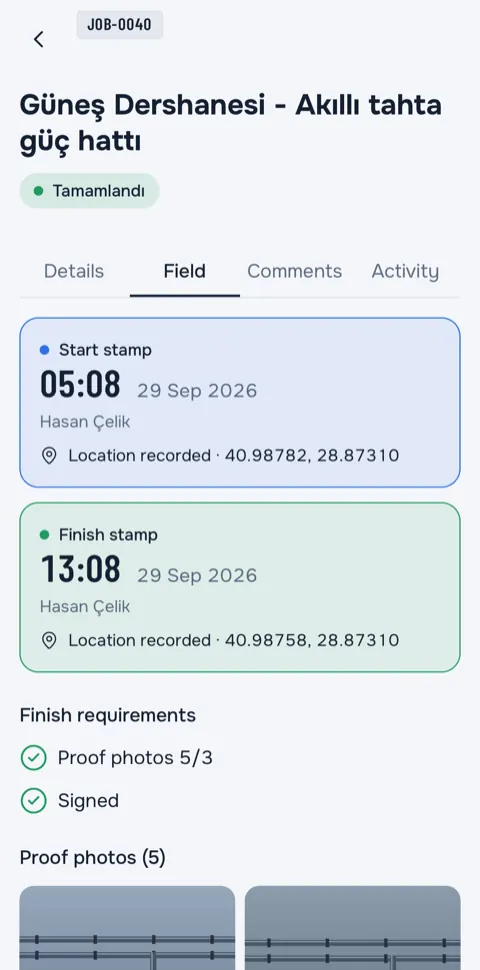
A stamp is placed when staff start a job, take a photo, collect a signature and finish. When the job closes, your PDF report is already there.
No sign-up needed for the live demo.
For iPhone, iPad and Android.
For teams whose work happens at the customer's door, in their building or on their site.
Work coming back from the field often ends up in three places: a paper form, a chat group, a spreadsheet. Ekiplio gathers it all in the job's own record.
From assignment to the PDF report, every step stays in the same record.
Jobs sit in status columns: to do, in progress, awaiting approval, done. Dragging a card changes its status; on an invalid move the card snaps back and you are told why.
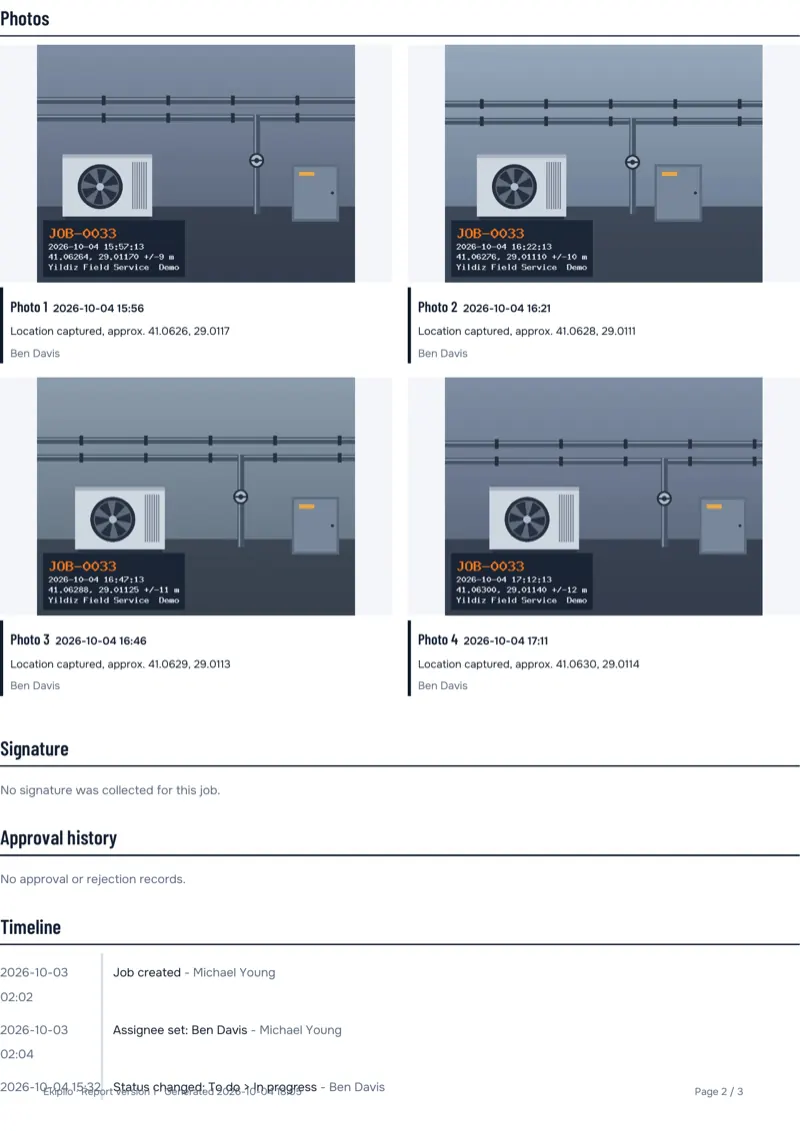
Staff start the job, take photos and collect the customer's signature. Every step is stamped with the time and, with your permission, the location; the job-number watermark is applied to the photo on the device.
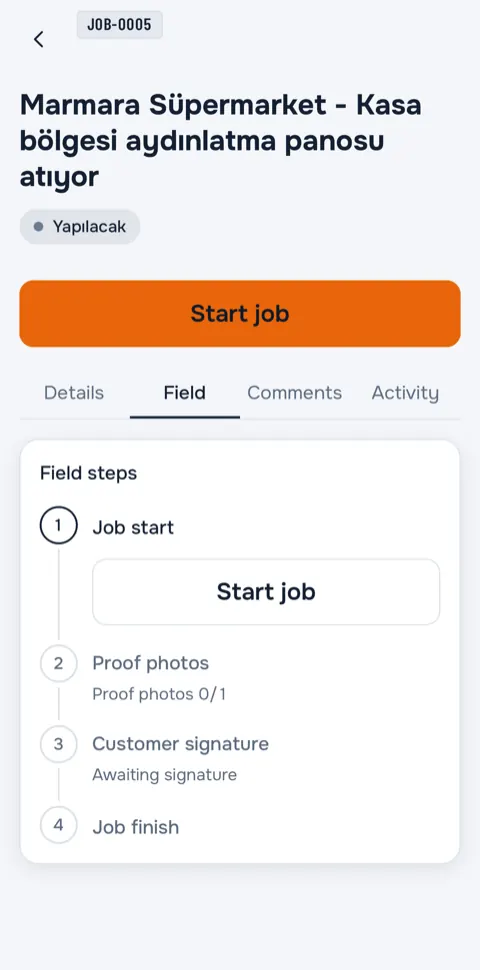
1Start job
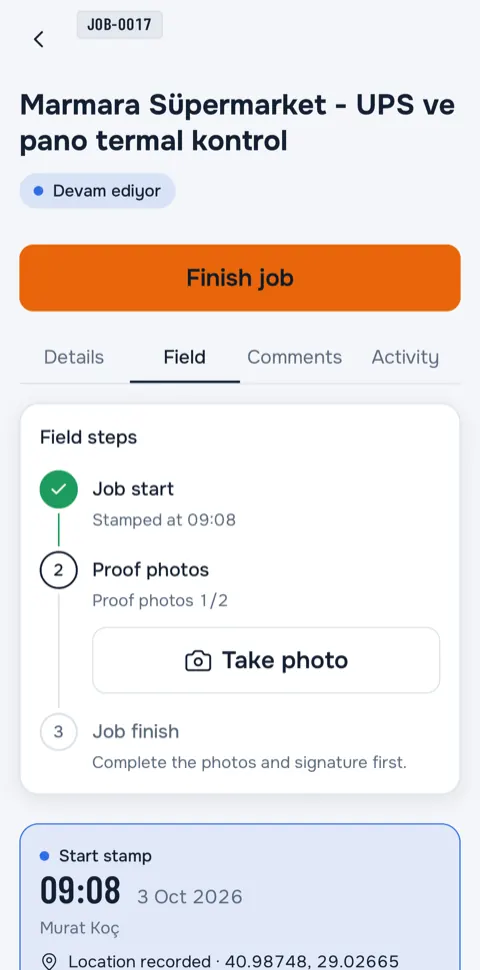
2Photo
3Signature
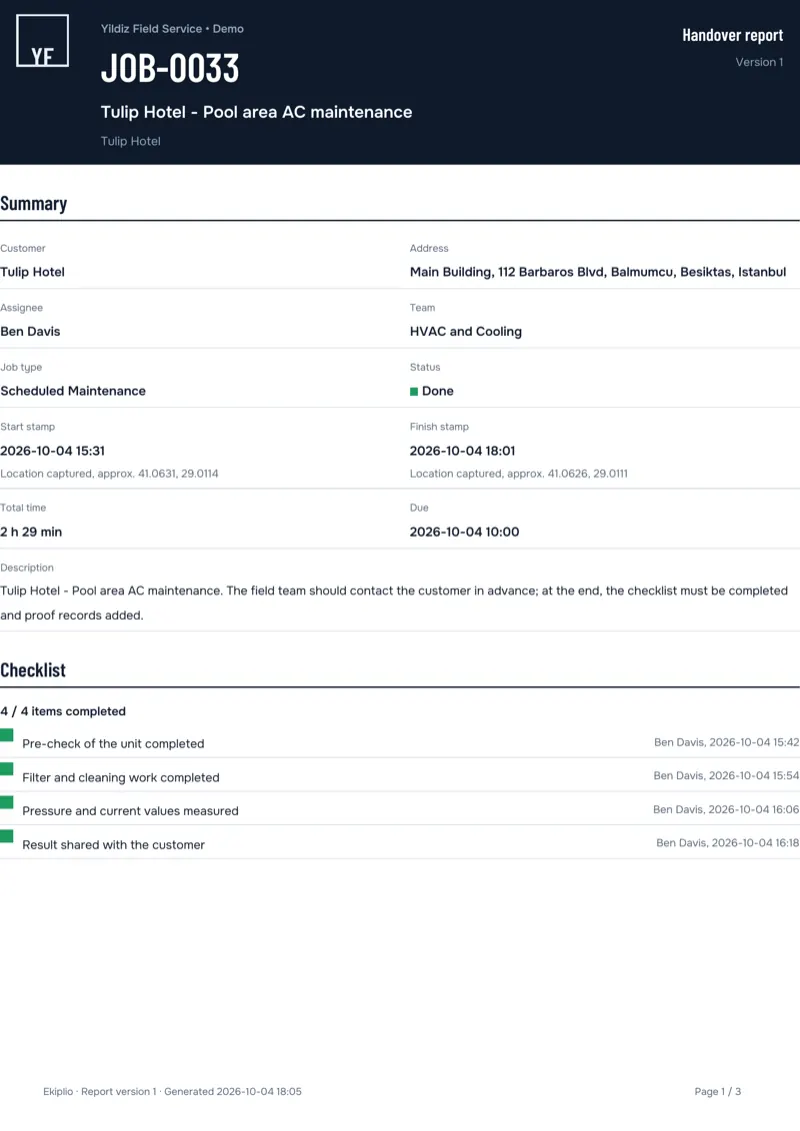
Stamps, photos, the signature and the timeline build up during the job. When it ends, everything is gathered in one PDF that you share or download from the app.
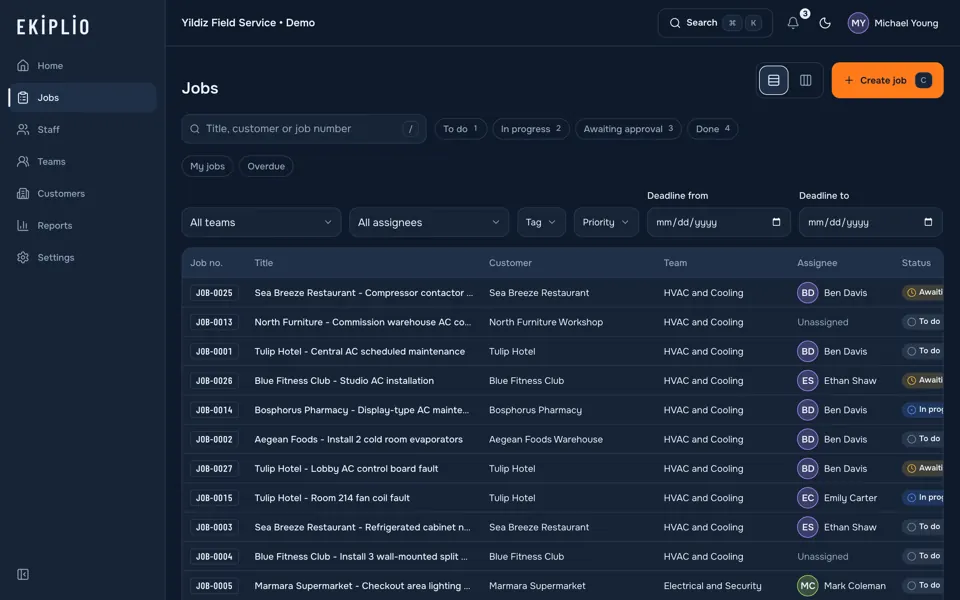
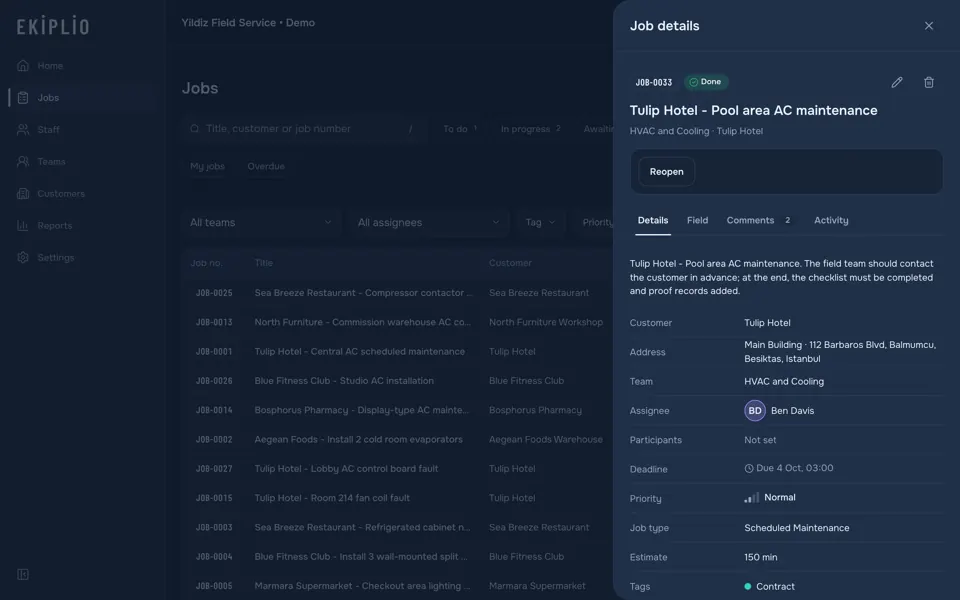
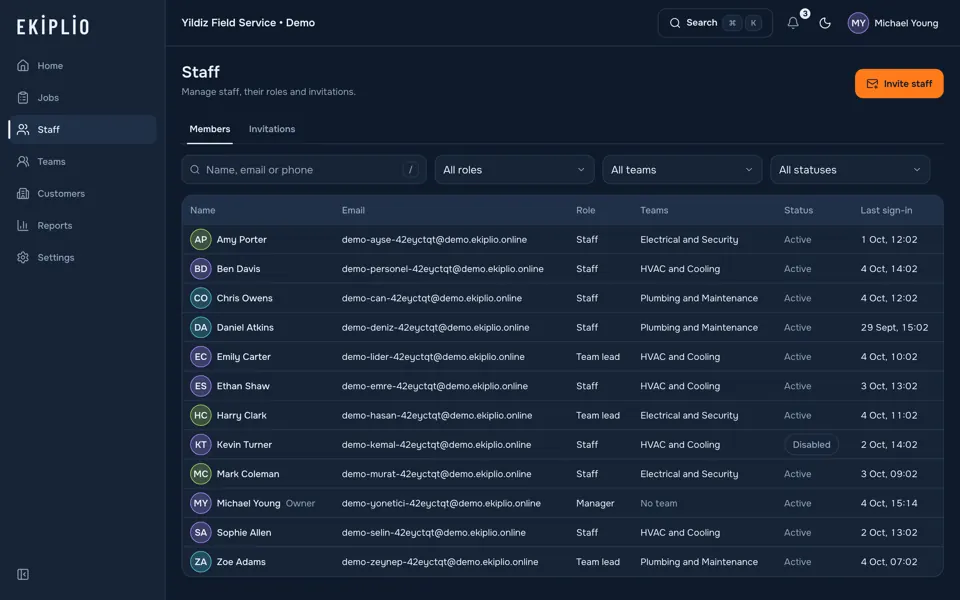
Managers and team leads see all jobs in one list on the web panel; open a job and its details are right there.
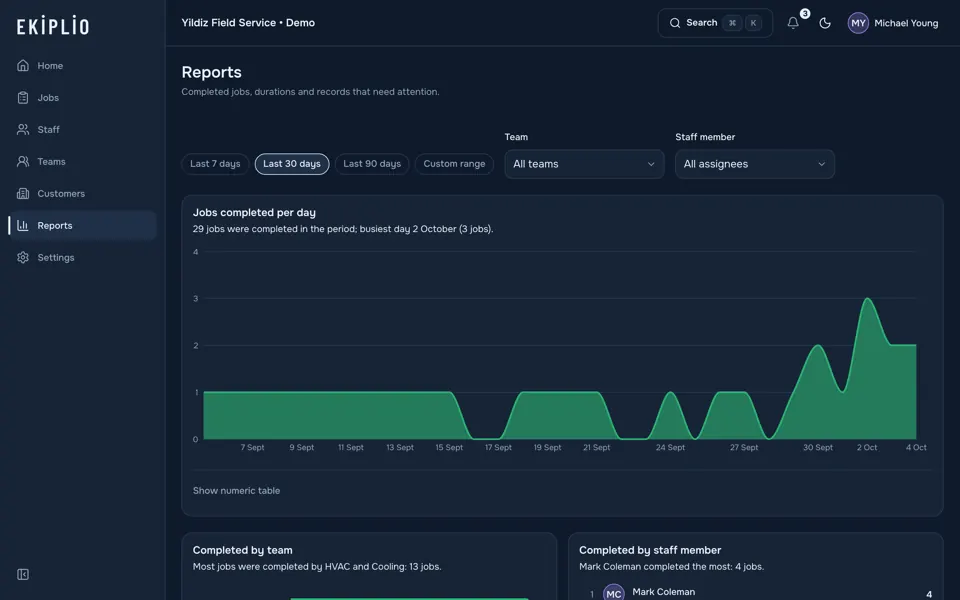
Jobs completed per day, results by team and staff member, average durations and overdue jobs on one screen.
In a basement, on a building site or in the countryside, you can still start a job, take photos and collect a signature. Actions are queued and sent in order once the connection returns.
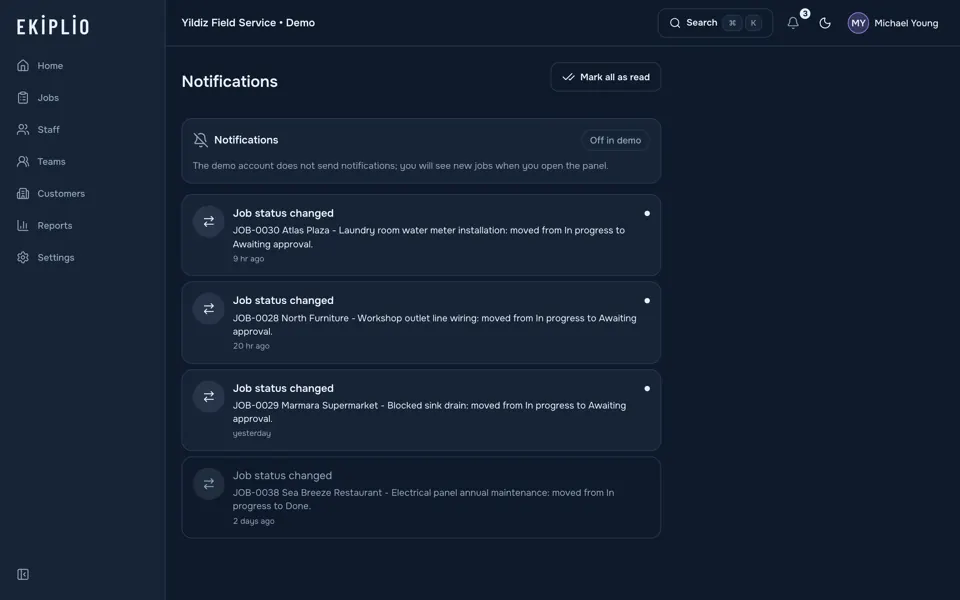
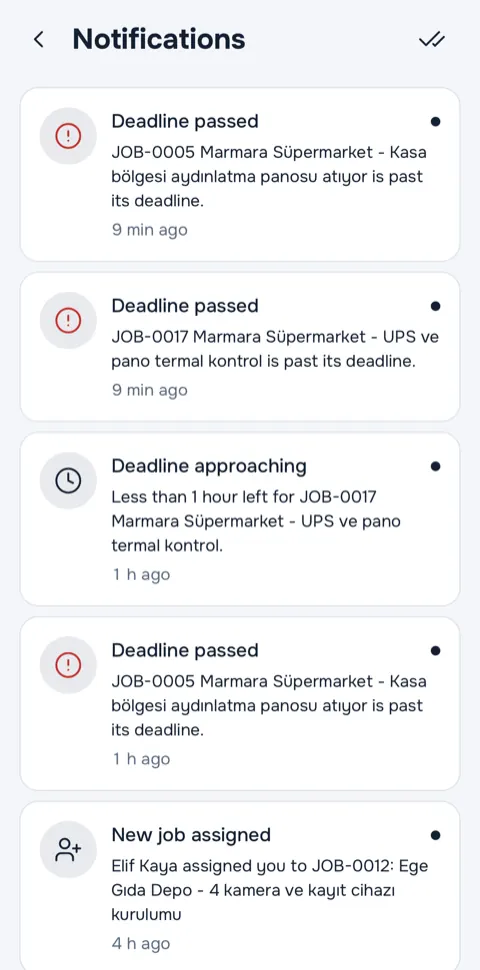
A notification arrives when a job is assigned, when its status changes and as a deadline approaches. Deadline notifications go out 24 hours and 1 hour before.
The time is stamped at every step; the location is added if you allow it.
Annual boiler service
Ayşe Kaya, 18 Moda St., Kadıköy
Start
09:41:07
40.9876 N, 29.0254 E (accuracy 8 m)
Start stamp recorded
Photo
09:52:30
40.9876 N, 29.0254 E (accuracy 8 m)
Watermarked photo 1/1
Customer signature
10:34:12
40.9876 N, 29.0254 E (accuracy 8 m)
Signed by Ayşe Kaya
Finish
10:36:48
40.9876 N, 29.0254 E (accuracy 8 m)
PDF report ready
Press the button and watch the stamp land. In the real app, the time and location come from the device; the location here is an example.
On a phone or tablet in the field, on the web panel in the office: same account, same records.
The field flow and today's jobs in your pocket.
List and details side by side; kanban shows all four columns at once.
The same app on Android phones.
In the browser, for every role.
When the Android app is published in the store, its link will appear in this section.
The points below describe how the product works. You can find the details in the privacy policy.
Every feature is available on every plan. Plans differ only by the number of users.
Up to 3 users
No purchase needed.
Up to 10 users
Monthly or yearly. 7-day free trial on a first purchase, where eligible.
Up to 25 users
Monthly or yearly. 7-day free trial on a first purchase, where eligible.
Up to 60 users
Monthly or yearly. 7-day free trial on a first purchase, where eligible.
Prices are shown in the app.
Subscriptions are purchased only from the iOS and Android app, by a manager; there is no purchase on the web. On the web panel, a manager sees the subscription status as read-only.
If a subscription ends, your data is not deleted; users beyond the plan limit become read-only. Details are in the terms of use.
Yes. Start, finish, photo and signature actions are queued while offline and sent in order once the connection returns. Every record keeps the device time and the server time together.
No. Location is taken only when starting a job, finishing it, taking a proof photo and collecting a signature, with the permission granted while the app is open, and only once each time. There is no background location tracking. If you do not grant permission, the job still starts; the stamp is marked as having no location and the manager can see this.
Connections are encrypted with HTTPS. Each business's data is kept separate, access is limited by role and permission, and the activity log cannot be changed. We do not sell your data or share it for marketing; we show no ads and do not track your behavior. No system is entirely risk-free; the details are in the privacy policy.
It is generated in the app when the job is finished. The cover has the job number, title and customer; inside are the start and finish stamps, a photo grid, the signature block and the timeline. You share or download it from the app. Sending the report to the customer by email automatically is a job type setting.
There are three roles. A manager runs the whole business. A team lead manages only the jobs of the teams they lead. Staff work on the jobs assigned to them.
A subscription belongs to the business. Plans differ by number of users: Free up to 3, Starter 10, Team 25 and Business 60 users; every feature is on every plan. Paid plans are monthly or yearly and come with a 7-day free trial on a first purchase, where eligible. Purchases are made only in the iOS and Android app, by a manager; the price is shown in the app from the store.
The subscription is managed through the App Store or Google Play; you cancel it in the store's subscription settings. If a subscription ends, your data is not deleted: the account returns to the Free plan limit and users beyond the limit become read-only. When you subscribe again, users become active again with nothing lost.
Yes. The web panel is open to every role and works with the same account; you can open your business for free on the web. Buying a subscription is only possible in the mobile app; on the web, a manager sees the subscription status as read-only.
The free plan has every feature; the only difference is the number of users: up to 3. When the limit is reached, a manager upgrades the plan to add more users.
A temporary demo business you can explore without signing up. You choose a role (manager, team lead or staff); a business filled with sample data is prepared in a few seconds and deleted after 24 hours. No real emails, SMS or notifications are sent in the demo.
Explore the live demo without signing up; when you are ready, open your business for free on the web.